-
-
Remove the old fan and mount the new one in its place.
-
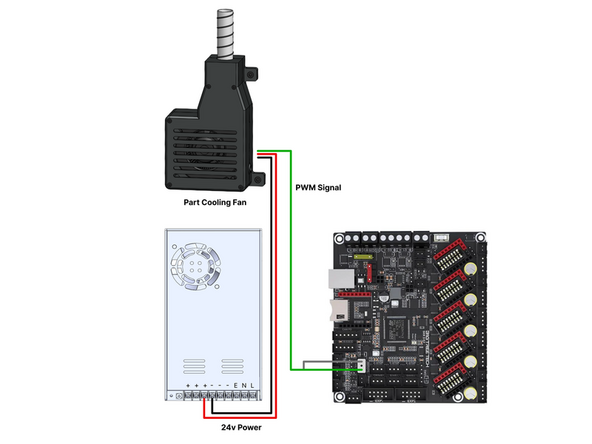
Wire according to the diagram.
-
-
-
In Mainsail open up the printer.cfg file.
-
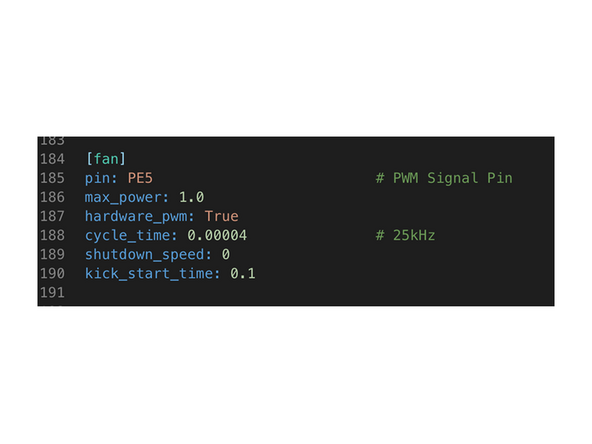
Scroll down to the [fan] section and replace the values with these:
-
pin: PE5 max_power: 1.0 hardware_pwm: True cycle_time: 0.00004 shutdown_speed: 0 kick_start_time: 0.1
-
-
-
The fan functions in the same way before and with the same commands.
-
Setting the fan to 60% should give good results for PLA, with plenty of overhead for bridging and overhang sections.
-
Almost done!
Finish Line
