Difficulty
Easy
Steps
7
Time Required
00:30:00 - 00:45:00
- Upgrade: Enclosure 7 steps

In Progress
This guide is currently being written. Reload periodically to see the latest changes.

Private
This guide will not appear in search results and can only be viewed by team members!
Quiz
0
-
-
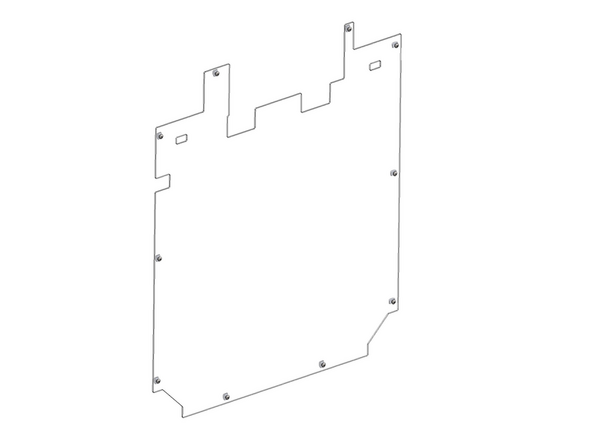
Take the left panel and remove the protective film from it.
-
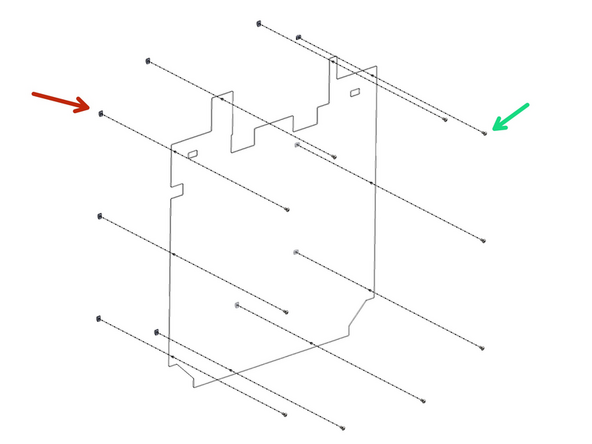
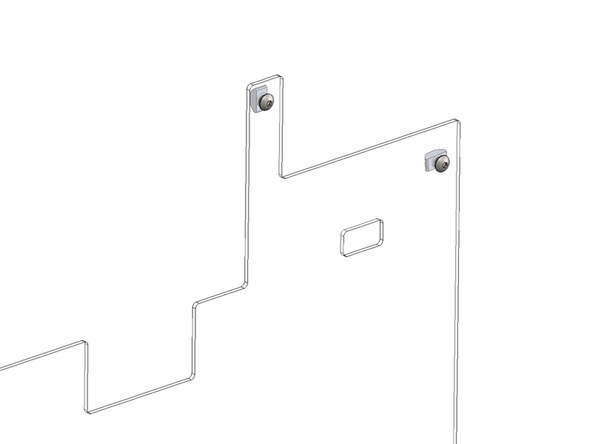
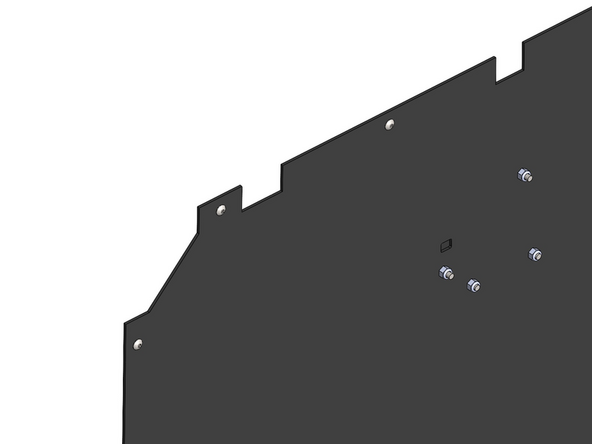
Prepare the panel by loosely adding onto it fasteners.
-
M4 x 8mm Bolt
-
M4 T-nut
-
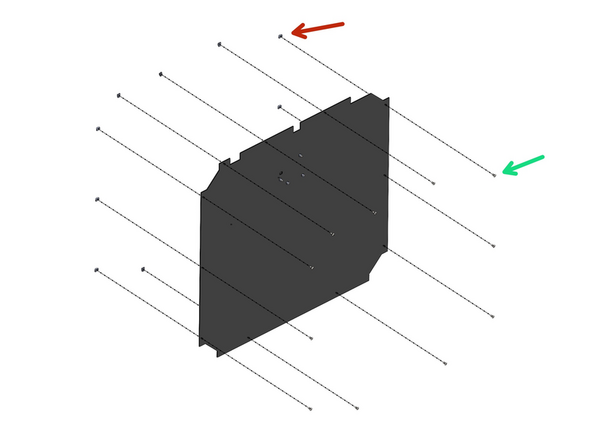
Match the orientation as shown in the diagram about which side the bolts and nuts should be on.
-
-
-
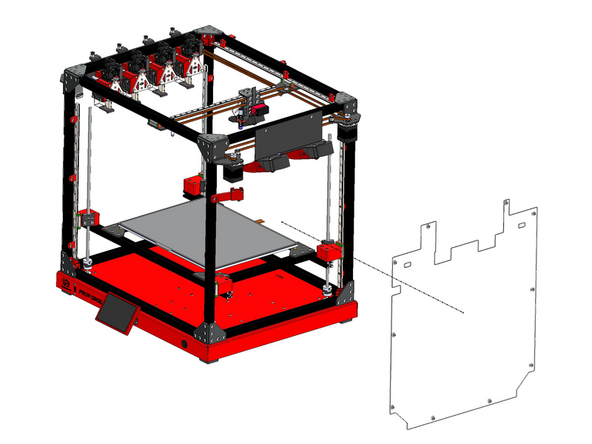
Install the panel to the left side of the frame by sliding it in from the front of the printer.
-
-
-
Take the right panel and remove the protective film from it.
-
Prepare the panel by loosely adding onto it fasteners.
-
M4 x 8mm Bolt
-
M4 T-nut
-
Match the orientation as shown in the diagram about which side the bolts and nuts should be on.
-
-
-
Install the panel to the right side of the frame.
-
-
-
Take the rear panel and remove the protective film from it.
-
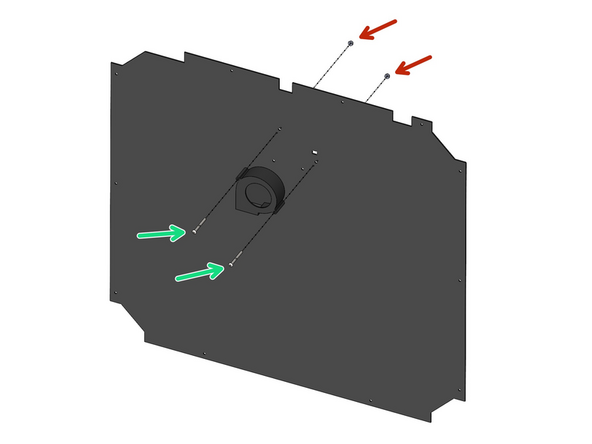
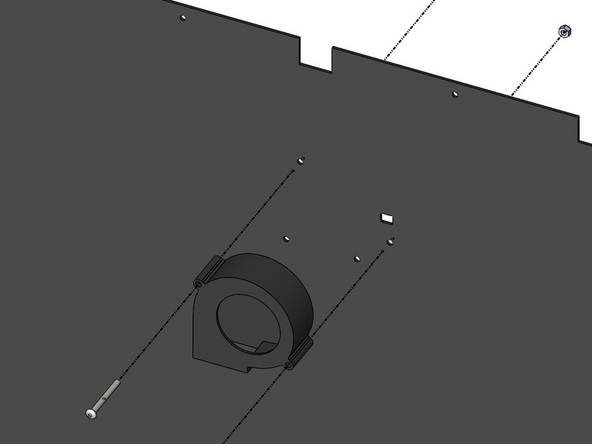
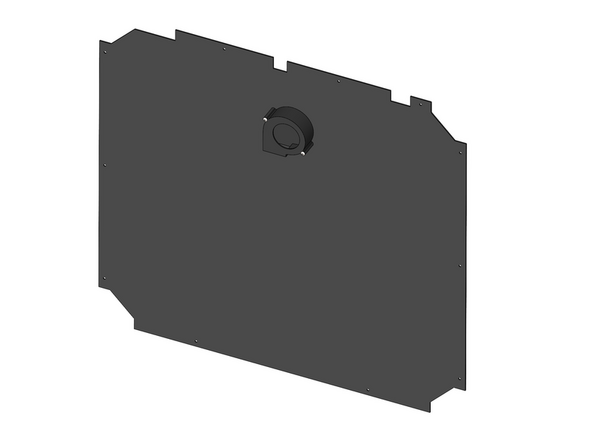
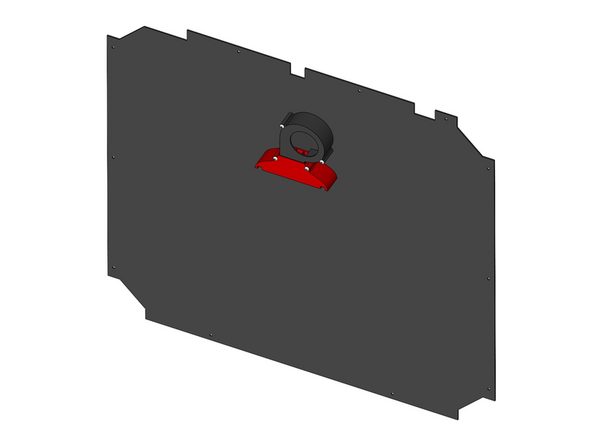
Take the 70mm blower fan and fix it to the panel.
-
M4 x 40mm
-
M4 Nyloc Nut
-
Make sure to install the fan on the side shown in the diagram.
-
-
-
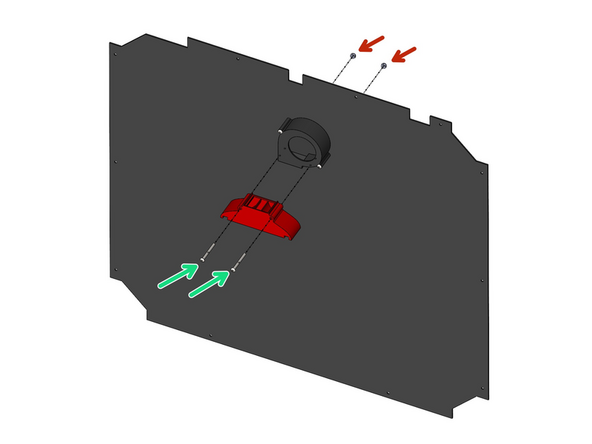
Install the 3d printer fume filter fan shroud.
-
M4 x 40mm Bolt
-
M4 Nyloc Nut
-
-
-
Prepare the panel by loosely adding onto it fasteners.
-
M4 x 8mm Bolt
-
M4 T-nut
-